
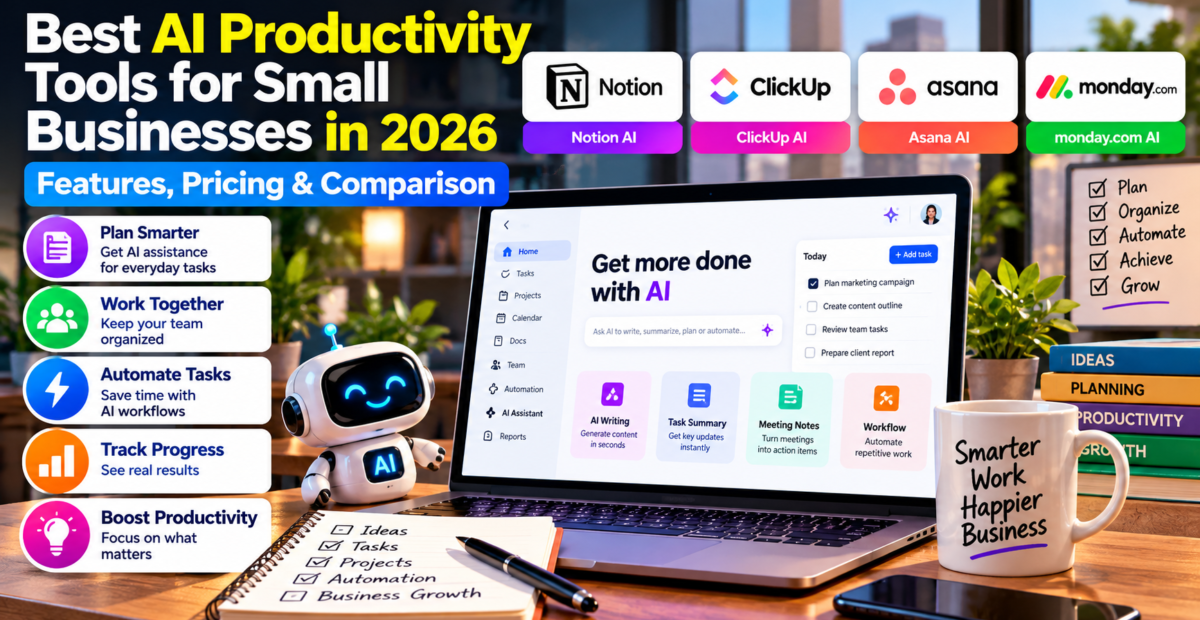
Best AI Productivity Tools for Small Businesses in 2026: Features, Pricing & Comparison
 By Pixel Battle Arena Editorial Team
0 Comments
By Pixel Battle Arena Editorial Team
0 Comments
Last Updated: October 14, 2026
Running a small business involves much more than selling products or providing services. Business owners must manage projects, communicate with employees, organize documents, attend meetings, track deadlines, and ensure that everyday tasks are completed on time.
When these responsibilities are handled through disconnected spreadsheets, email conversations, and notebooks, important information can become difficult to manage.
This is why AI productivity tools for small businesses are becoming increasingly useful.
Modern productivity software combines task management, team collaboration, document organization, workflow automation, and artificial intelligence. These applications can help teams organize information, reduce repetitive administration, and complete everyday activities more efficiently.
Artificial intelligence can add further capabilities, such as creating meeting summaries, preparing project updates, drafting documents, and helping employees find information.
However, productivity software differs significantly from one platform to another. Some products focus on flexible documents and knowledge management, while others specialize in project management, workflow automation, or team coordination.
Pricing also varies according to user count, subscription level, AI allowances, and optional services.
In this guide, we compare four established platforms: Notion, ClickUp, Asana, and monday.com. We examine their features, pricing, advantages, limitations, and practical uses to help business owners understand which software may suit their needs.
What Are AI Productivity Tools?
AI productivity tools are software applications that use artificial intelligence to support everyday work.
Traditional productivity tools help people create task lists, organize documents, manage calendars, and communicate with team members.
AI-powered productivity platforms add functions that can interpret information, create summaries, generate drafts, and assist with workflows.
For example, a marketing agency might maintain a list of projects with deadlines and assigned employees.
A conventional project management system can show which tasks are complete and which remain unfinished.
An AI assistant may help summarize project updates, prepare a progress report, or identify information related to an upcoming meeting.
This can reduce certain administrative tasks, but AI output should still be reviewed for accuracy.
The main purpose of productivity software is to help people work in a more organized and consistent manner.
Artificial intelligence is an additional capability rather than a replacement for planning, communication, and employee judgment.
Why Small Businesses Need Productivity Management Software
Small businesses frequently operate with limited time and staff.
Employees may perform several different responsibilities, and owners often manage multiple projects simultaneously.
Without a centralized system, tasks can be forgotten, deadlines missed, and communication repeated unnecessarily.
Productivity management software helps organize these activities.
Better Task Organization
Task management applications allow businesses to create assignments, establish deadlines, and track progress.
Employees can see which activities require attention without searching through multiple messages.
Improved Team Collaboration
Shared project spaces help employees communicate about specific tasks.
This can reduce confusion about responsibilities and project requirements.
Centralized Business Information
Documents, instructions, and project records can be stored in an organized workspace.
Employees can access relevant information according to their permissions.
Reduced Manual Administration
Automation can help update task statuses, send notifications, or create recurring assignments.
Some AI features can also prepare summaries and draft routine communications.
Greater Visibility Into Business Operations
Reporting and project dashboards can help business owners understand ongoing work.
These tools may reveal delays, overloaded employees, or processes requiring improvement.
However, software alone cannot guarantee better productivity. The company must establish clear processes and encourage consistent use.
Best AI Productivity Tools for Small Businesses in 2026
1. Notion — Best for Business Documents and Knowledge Management
Notion is a flexible workspace for organizing documents, databases, projects, and business information.
It allows users to create pages containing notes, task lists, tables, documents, and related resources.
Notion can be useful for businesses that want to combine documentation and lightweight project organization within one environment.
For example, a small consulting company could maintain client project pages, meeting notes, standard operating procedures, and internal guides.
Notion also offers AI features designed to assist with writing, information retrieval, meeting notes, and selected workspace activities.
Important Notion Features
Notion provides customizable pages, connected databases, document collaboration, templates, project views, and permissions.
Businesses can build internal knowledge bases and organize information around departments, customers, or projects.
Notion AI can help users summarize documents, draft content, search relevant information, and support selected workflows.
The exact features available depend on the subscription.
Notion Pricing in 2026
Notion provides four main subscription levels.
| Plan | Published Starting Price |
|---|---|
| Free | $0 |
| Plus | $10 per member/month |
| Business | $20 per member/month |
| Enterprise | Custom pricing |
These figures are based on the annual-billing pricing displayed by the provider.
The Free and Plus plans provide limited or trial access to certain AI features, while the Business plan includes broader AI workspace capabilities.
Businesses should verify which AI tools are included before selecting a subscription.
Advantages
Notion offers flexible document organization, customizable databases, templates, and shared knowledge management.
It can help businesses reduce the need to maintain information across several disconnected documents.
Limitations
Notion requires planning to create a well-organized workspace.
Teams needing advanced project reporting, complex resource management, or specialized automation may prefer a more dedicated project management platform.
Best For: Consultants, freelancers, content teams, small agencies, and businesses prioritizing internal documentation.
Official website: https://www.notion.com/
2. ClickUp — Best for Task Management and Workflow Automation
ClickUp is a productivity and project management platform designed to organize tasks, projects, documents, and team collaboration.
It provides a range of project views and workflow tools.
Businesses can organize work using lists, boards, calendars, timelines, and dashboards.
For example, a website development agency might use ClickUp to manage client projects, assign tasks to designers, monitor deadlines, and document project requirements.
ClickUp also offers AI tools through ClickUp Brain and related capabilities.
These can assist with creating content, retrieving project information, summarizing updates, and performing selected automated activities.
Important ClickUp Features
ClickUp provides task management, custom fields, project dashboards, documents, time tracking, integrations, and workflow automation.
The platform also includes collaboration features and reporting tools.
Its AI offerings include intelligent assistance, writing support, project information retrieval, and selected AI agent functionality.
Some features require AI add-ons or specific plans.
ClickUp Pricing in 2026
ClickUp publicly lists the following standard project management pricing:
| Plan | Starting Price |
|---|---|
| Free Forever | $0 |
| Unlimited | $7 per user/month |
| Business | $12 per user/month |
| Enterprise | Custom pricing |
These paid figures are based on annual billing.
ClickUp also offers AI add-ons and is introducing new plan packages with different AI allowances.
For this reason, some users may see different subscription options during checkout.
Businesses should verify the exact price and AI usage terms displayed for their workspace.
Advantages
ClickUp combines multiple project management functions within one platform.
It can be useful for teams requiring task assignments, automation, reporting, and detailed project tracking.
Limitations
The large number of features may be overwhelming for beginners.
Some advanced automation and AI capabilities require paid plans, add-ons, or additional usage allowances.
Best For: Digital agencies, software teams, service businesses, and companies managing multiple projects.
Official website: https://clickup.com/
3. Asana — Best for Structured Team Project Management
Asana is a work management platform that helps teams organize projects, tasks, responsibilities, and deadlines.
It offers tools for managing both everyday work and more complex projects.
Asana can be useful when businesses need clear ownership of tasks and visibility into project progress.
For example, a marketing company may use Asana to coordinate content planning, campaign approvals, deadlines, and employee responsibilities.
Asana also provides AI capabilities that can assist with work summaries, project organization, and selected intelligent workflows.
Important Asana Features
Asana includes task management, project boards, timeline views, reporting, workflow rules, forms, and project templates.
Higher subscriptions provide expanded portfolio management, goals, resource management, and advanced reporting tools.
Its AI capabilities include Asana AI, AI Studio, and other intelligent workflow functions.
AI usage is subject to the provider’s current allowances, credits, or applicable usage charges.
Asana Pricing in 2026
Asana provides several subscription levels.
| Plan | Starting Price |
|---|---|
| Personal | Free |
| Starter | $10.99 per user/month |
| Advanced | $24.99 per user/month |
| Enterprise | Contact sales |
The paid prices shown above use annual billing.
Asana paid subscriptions generally require a minimum of two seats.
Additional AI usage may require purchased allowances or separate charges.
Businesses should check both the subscription price and AI usage model before purchasing.
Advantages
Asana provides structured project management, task visibility, reporting, and team coordination features.
It can help businesses clarify responsibilities and establish repeatable processes.
Limitations
More advanced portfolio and resource management capabilities require higher subscriptions.
The total cost can increase with additional team members and AI usage.
Best For: Marketing teams, agencies, professional service companies, and businesses with structured project workflows.
Official website: https://asana.com/
4. monday.com — Best for Visual Workflow Management
monday.com provides a work management platform that helps teams organize tasks, projects, and business processes.
It is known for customizable boards and visual workspaces.
Businesses can use the platform to coordinate employee responsibilities, manage project statuses, and track ongoing activities.
For example, a small event planning company may use monday.com to manage client requirements, schedules, suppliers, and internal tasks.
The company also provides AI capabilities for selected workflow activities.
Its newer AI work platform pricing model separates user seats from AI credits.
Important monday.com Features
monday.com offers customizable boards, task assignments, dashboards, workflow automation, project views, and integrations.
Users can create workflows based on business requirements.
Its AI capabilities support selected intelligent actions and automated processes, depending on the product and subscription.
monday.com Pricing in 2026
The monday AI work platform offers a free entry-level option alongside paid Basic, Standard, Pro, and Enterprise plans.
The platform’s current subscription pricing depends on the selected plan, number of seats, billing period, and AI credits.
For new customers using its AI work platform pricing model introduced in May 2026, AI credits form part of the purchase process.
The minimum monthly AI credit quantities currently listed are:
| Paid Plan | Minimum AI Credits/Month |
|---|---|
| Basic | 1,000 |
| Standard | 2,000 |
| Pro | 3,000 |
| Enterprise | Contact sales |
These credits are usage allowances, not subscription prices.
Businesses should use monday.com’s pricing calculator to determine the current total for the number of employees and AI credits they need.
Advantages
monday.com offers visually organized workflows, customizable boards, and flexible task management.
It can be useful for businesses coordinating multiple departments and recurring activities.
Limitations
The pricing structure can become complicated when seats, automation allowances, and AI credits are considered together.
Businesses should verify which product they are purchasing because monday.com also offers separate CRM, development, and service platforms.
Best For: Operations teams, small agencies, service businesses, and companies that prefer visual workflow management.
Official website: https://monday.com/
AI Productivity Software Pricing Comparison
The table below summarizes selected entry-level plans.
| Software | Free Option | Starting Paid Plan | Main Strength |
|---|---|---|---|
| Notion | Yes | $10/member/month | Documents and knowledge management |
| ClickUp | Yes | $7/user/month | Projects and workflow automation |
| Asana | Yes | $10.99/user/month | Structured project management |
| monday.com | Yes | Quote depends on seats and AI credits | Visual work management |
Pricing reflects publicly available information reviewed in October 2026. Listed amounts are generally annual-billing monthly equivalents in US dollars. Plans do not include equivalent AI capabilities. Taxes, additional seats, AI usage, and optional services may increase costs.
Which AI Productivity Tool Is Best for Small Businesses?
There is no single productivity platform suitable for every company.
A business should choose software based on its activities, team structure, and existing workflow.
Best for Freelancers
Freelancers often need a simple system for organizing projects, meeting notes, and deadlines.
Notion may be useful for combining documents and tasks.
ClickUp can also be worth considering when detailed task tracking and time management are important.
Best for Marketing Agencies
Marketing agencies frequently manage campaigns, client projects, content calendars, and approvals.
ClickUp and Asana provide structured task management capabilities.
Businesses should compare project templates, reporting features, and integration options before choosing.
Best for Small Remote Teams
Remote teams benefit from clear task assignments and shared information.
Asana, ClickUp, and monday.com can help coordinate distributed employees.
Notion can complement these workflows by providing shared documentation.
Best for Operations Management
Businesses managing repeatable processes may benefit from configurable workflows.
monday.com and ClickUp offer options for organizing tasks and automating selected activities.
The most appropriate solution depends on the complexity of the process.
How AI Productivity Software Saves Time
AI productivity tools can reduce some administrative work.
For example, a project manager may spend time reading long discussions before preparing a status update.
An AI summarization feature can help produce a draft summary of relevant information.
The manager can then review the summary, correct errors, and share an approved version.
Similarly, meeting note tools may help identify decisions and action items from recorded meetings.
Businesses can also use workflow automation to send reminders, create recurring assignments, and update selected records.
However, productivity improvements vary.
A platform that saves time for one company may create unnecessary complexity for another.
Businesses should test software using realistic workflows before making long-term commitments.
AI Task Management vs. Traditional Task Management
Traditional task management software organizes assignments, deadlines, and project information.
AI task management adds intelligent assistance.
For example, a traditional system may show which tasks are overdue.
An AI-enabled system may help prepare an overdue-task summary or suggest how to organize work.
| Feature | Traditional Task Management | AI-Enhanced Task Management |
|---|---|---|
| Task creation | Yes | Yes |
| Deadlines and reminders | Yes | Yes |
| Project boards | Yes | Yes |
| Automated workflow rules | Often | Often |
| AI-generated summaries | Usually not included | Available on selected plans |
| Intelligent writing assistance | Limited | Available on selected plans |
| Human oversight | Required | Required |
AI does not automatically make a task management platform better.
The software must support the practical needs of its users.
Understanding AI Productivity Software Costs
Small businesses should calculate the total cost of productivity software before subscribing.
Most platforms charge according to the number of employees or members.
Some also charge separately for AI features, advanced integrations, or additional usage.
For example, suppose a company has five employees and subscribes to a plan costing $12 per user per month.
Its basic monthly subscription expense would be $60.
Over one year, the recurring subscription cost would be $720, excluding taxes and additional charges.
If AI functionality requires another paid service, the total cost will increase.
The business should compare these expenses with measurable benefits.
These might include reduced administrative work, improved project visibility, or fewer missed deadlines.
However, software adoption does not automatically result in increased profits.
The business must use the tools effectively and establish reliable working processes.
Essential Features to Look for in Productivity Software
Task Assignment and Deadlines
Employees should know which activities they are responsible for and when tasks must be completed.
Project Visibility
A useful platform should provide clear information about ongoing work.
Project dashboards, boards, lists, and timelines may help teams monitor progress.
Document Collaboration
Shared documents and project information can reduce unnecessary communication.
Businesses should review access controls to ensure confidential material is appropriately protected.
Workflow Automation
Automation can help manage recurring activities and notifications.
The system should provide reliable controls for testing and monitoring automated actions.
AI Assistance
AI tools may assist with writing, summarization, information retrieval, and workflow management.
Businesses should verify availability and usage limits.
Integrations
The productivity platform should work with essential applications already used by the company.
These might include calendars, email, cloud storage, and communication software.
Mobile Accessibility
Employees who work remotely or travel frequently may need access to tasks and documents on mobile devices.
Security and Permissions
Businesses should review authentication, role-based access, sharing controls, and data retention policies.
Practical AI Productivity Examples
Organizing Client Projects
A digital agency can use project management software to track client assignments.
Tasks may be assigned to designers, writers, and developers with clear deadlines.
AI tools may assist with preparing project summaries.
Creating Meeting Summaries
Employees often spend time reviewing notes after meetings.
AI assistance may help organize key discussion points, identify decisions, and prepare draft action items.
Participants should verify important information before acting on it.
Managing Content Calendars
Marketing teams can maintain editorial calendars showing planned articles, responsible employees, and publication dates.
Automation can send reminders when deadlines approach.
Tracking Employee Workloads
Project management software can help managers understand task assignments.
Some platforms also provide resource management or workload views.
These tools may help identify potential scheduling problems.
Organizing Internal Documents
A business can maintain policies, operating procedures, and project documentation in a shared workspace.
AI search may make information easier to find, provided documents are accurate and appropriate permissions are configured.
How to Choose the Right AI Productivity Tool
Choosing productivity software should begin with a clear understanding of existing problems.
Step 1: Identify the main challenge. Determine whether the company needs better task management, document organization, team communication, or workflow automation.
Step 2: List necessary features. Separate essential requirements from optional capabilities.
Step 3: Calculate the total subscription cost. Include all employees, AI services, and potential add-ons.
Step 4: Review integration compatibility. Confirm support for applications already used by the company.
Step 5: Test with a real project. Try managing a small project before moving the entire business into the platform.
Step 6: Ask employees for feedback. A tool that is difficult to use may reduce productivity.
Step 7: Review security settings. Configure appropriate access permissions and sharing rules.
Step 8: Expand gradually. Introduce advanced automation and AI features once the basic workflow is working reliably.
Common Mistakes When Buying Productivity Software
One common mistake is selecting software with too many unnecessary features.
A complicated system can make employees spend more time managing the software than completing actual work.
Another mistake is purchasing advanced subscriptions before understanding the basic functions.
Small businesses should begin with essential tools and upgrade when necessary.
Companies may also create too many workflows without clear ownership.
Automated processes should have responsible employees who monitor their performance.
Businesses should avoid relying entirely on AI-generated project information.
Summaries and suggestions may omit important details or contain errors.
Finally, organizations should review subscription costs regularly.
Unused accounts, unnecessary add-ons, and growing AI consumption can increase expenses.
Can AI Productivity Tools Replace Employees?
AI productivity tools can assist with specific tasks, but they do not eliminate the need for employee judgment.
Creating summaries, drafting documents, organizing information, and updating records can save time.
However, employees remain responsible for understanding customer needs, making decisions, coordinating projects, and maintaining quality.
AI output may also require correction.
A productive business uses technology to support its employees rather than assuming that automated systems can manage every situation independently.
Are AI Productivity Tools Worth It for Small Businesses?
AI productivity tools can provide value when they address actual organizational challenges.
A company managing multiple clients and projects may benefit from centralized task management.
A business with extensive internal documentation may benefit from searchable knowledge management.
However, a freelancer with a simple workflow may not need an expensive platform.
Businesses should evaluate practical benefits against subscription expenses, setup time, employee training, and ongoing maintenance.
A useful starting point is to choose one recurring problem and test whether the software helps solve it.
If the results are positive, the business can expand its use gradually.
Future of AI Productivity Software
AI productivity software continues to evolve.
Providers are developing assistants that can search workspaces, summarize meetings, prepare reports, and automate selected business processes.
Some platforms also offer AI agents designed to handle multiple connected tasks.
These capabilities may make business software more convenient and reduce certain administrative activities.
However, companies must consider privacy, security, accuracy, and human oversight.
AI agents operating across multiple business applications may require access to sensitive information.
Permissions should be limited to what is necessary, and important actions should include appropriate safeguards.
The most valuable productivity software will be technology that makes work easier without introducing unnecessary complexity.
Frequently Asked Questions
What are the best AI productivity tools for small businesses?
Notion, ClickUp, Asana, and monday.com are established productivity platforms worth comparing. The best choice depends on task management needs, documentation requirements, workflow complexity, and budget.
Is there free AI productivity software?
Yes. Several productivity platforms offer free plans. However, advanced AI features may be limited to trials, paid subscriptions, or usage allowances.
How much do AI productivity tools cost?
Entry-level paid plans in this comparison start at approximately $7 to $11 per user per month for several platforms under annual billing. AI features and additional usage can increase costs.
Is Notion better than ClickUp?
Notion may suit businesses focused on documents and knowledge management. ClickUp offers more extensive task management and workflow features. The better platform depends on the company’s requirements.
Is Asana suitable for small businesses?
Yes. Asana offers task and project management tools that can support small teams. Businesses should review its paid seat requirements and feature limits before subscribing.
Does monday.com offer AI automation?
Yes. monday.com’s AI work platform includes AI capabilities, but usage is subject to the selected subscription and AI credit allowances.
Can AI tools improve employee productivity?
They can reduce certain repetitive activities and make information easier to organize. Actual productivity improvements depend on implementation, employee training, and workflow suitability.
Which productivity tool is best for freelancers?
Notion and ClickUp can be useful starting points for freelancers. The right choice depends on whether document organization or detailed task management is more important.
Can productivity software replace project managers?
No. Software can assist with tracking assignments, summaries, and scheduling, but project planning, communication, decision-making, and accountability still require human involvement.
What should a business consider before buying AI productivity software?
Important considerations include subscription costs, AI limits, integration compatibility, ease of use, security, reporting, and the ability to manage real business workflows.
Final Thoughts
AI productivity tools for small businesses can help organize work, improve collaboration, and reduce some repetitive administrative tasks.
Notion, ClickUp, Asana, and monday.com each provide different advantages.
Notion is particularly useful for documents and knowledge management. ClickUp offers extensive task management and workflow features. Asana supports structured project coordination, while monday.com provides visual business process management.
Before subscribing, businesses should compare essential features, regular pricing, AI usage limits, and available integrations.
The best productivity software is not necessarily the most expensive platform.
It is the tool that helps employees complete important work more reliably and efficiently.
For additional business technology resources, explore the AI Productivity Tools and AI Business Automation guides on Pixel Battle Arena.
Editorial Note: This article is intended for general educational purposes. Pricing and feature descriptions are based on publicly available provider information, not independent hands-on testing. Software subscriptions, AI allowances, and regional availability may change.
Official Sources
- Notion Pricing: https://www.notion.com/pricing
- ClickUp Pricing: https://clickup.com/pricing
- Asana Pricing: https://asana.com/pricing
- monday.com Pricing: https://monday.com/pricing
- monday.com AI Pricing Information: https://support.monday.com/hc/en-us/articles/35277848309394-The-pricing-model-for-monday-AI-portfolio
